I read an article by Mizutani et al. (2003) about how dragonflies can move while appearing to be stationary against their background. I’ve been thinking this over and wanted to see if I could simulate this to illustrate it and better understand it.
Usually, we think of animals minimizing motion to blend into their background. However, there are animals that sway slightly to mimic their background, such as leaves swaying in a breeze. Even more dramatically, some flying insects can paradoxically move quickly in order to appear stationary and at a different distance from where they are.
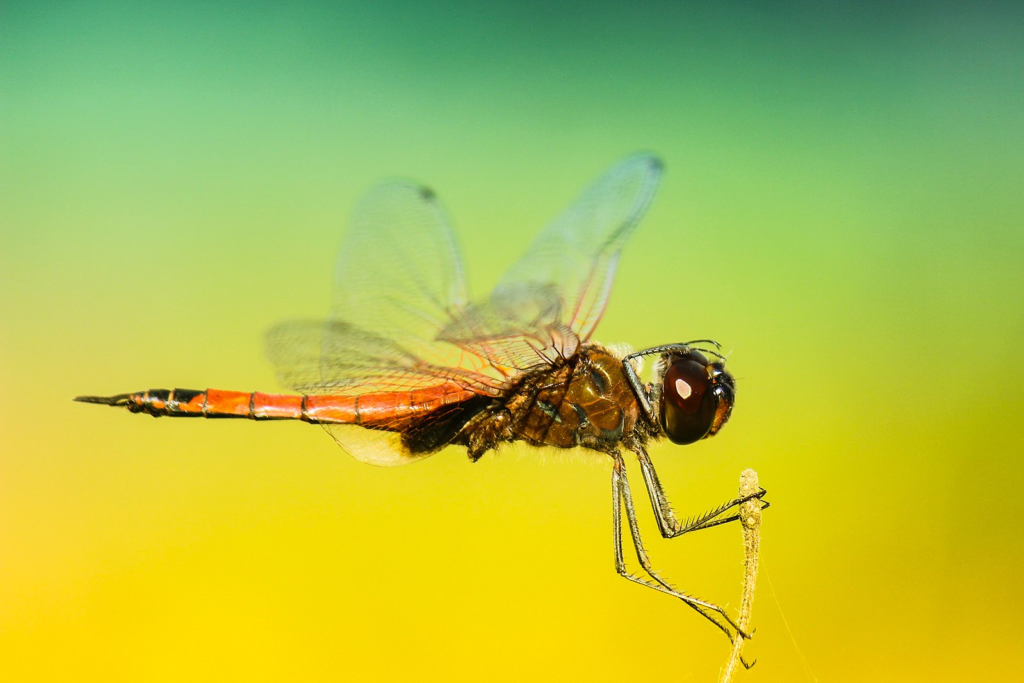
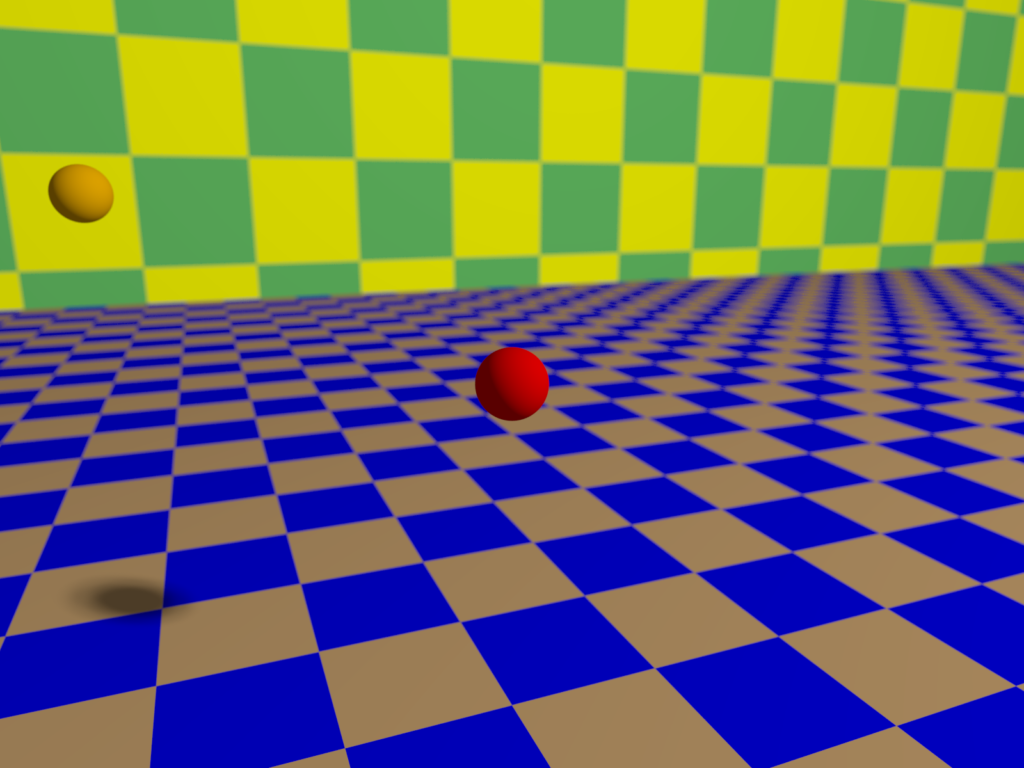
Dragonflies are highly visually oriented, highly maneuverable aerial predators. They are able to judge a viewer and their background and move in order to appear stationary against the background relative to the moving viewer. I programmed an example of this in POV-Ray to visualize the effect. Here are some frames to illustrate.
The viewer is moving to the left and away while rotating its focus and view to be centered on the red sphere in the foreground. The orange “dragonfly” detaches from the wall in the background and approaches. It adjusts its lateral position relative to the viewer’s changing position and the background in order to visually remain at the same point on the background despite moving over a large distance. (However, its shadow initially gives away the movement.) It appears to be at approximately the same position over the yellow square behind it.
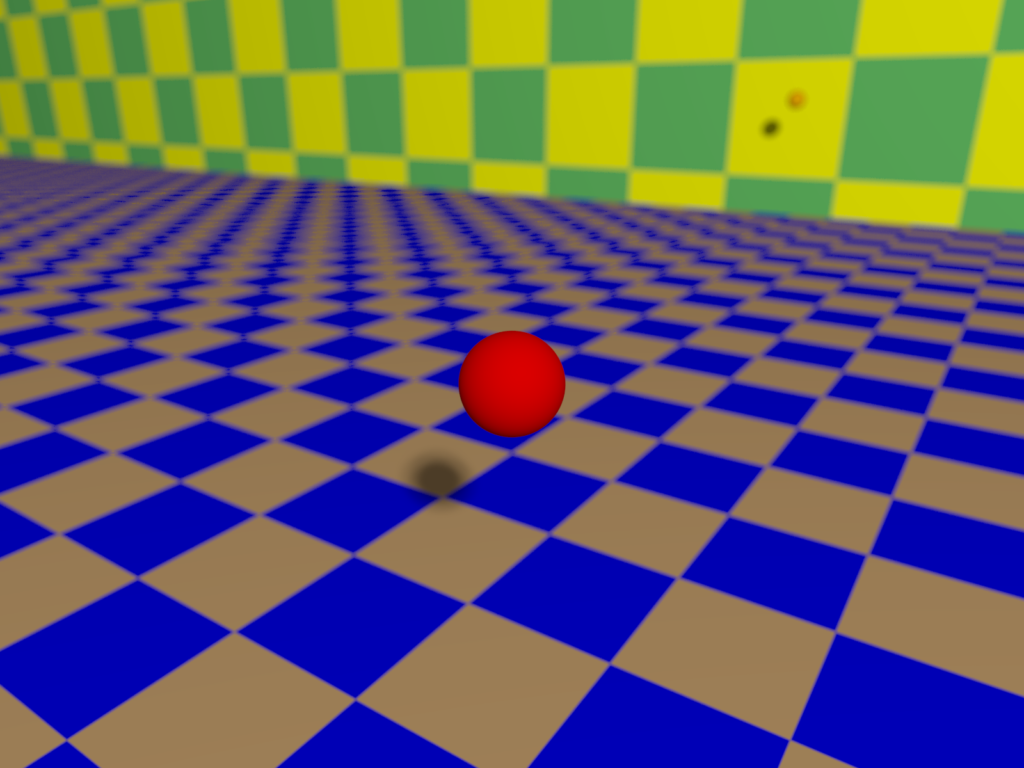
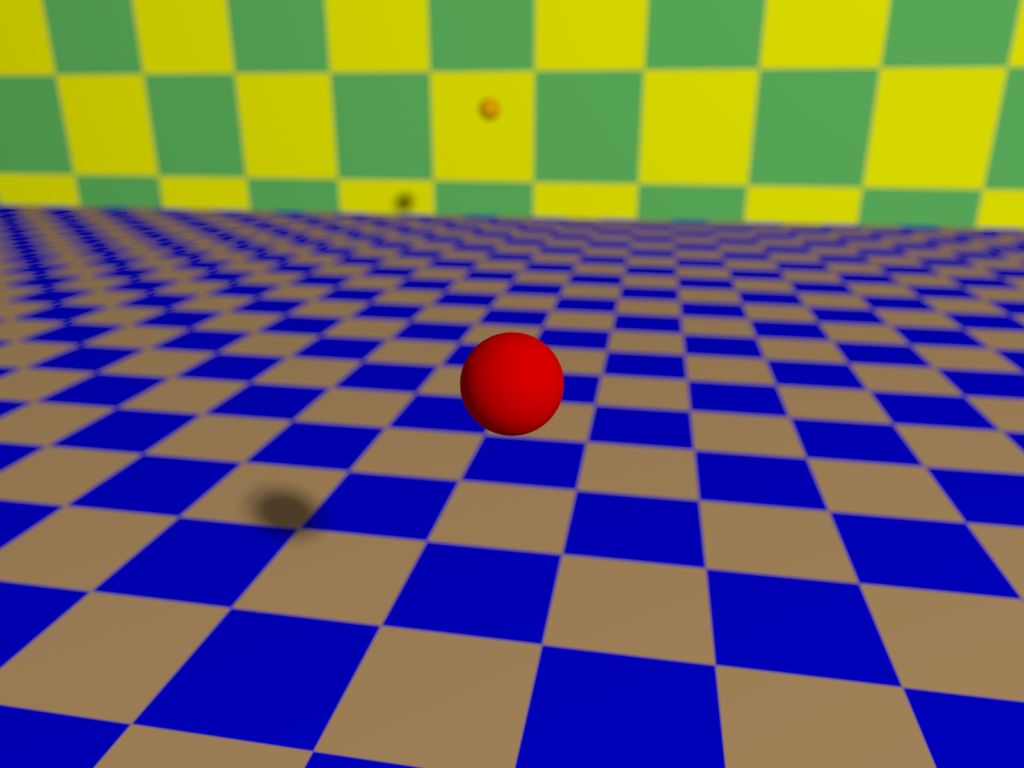
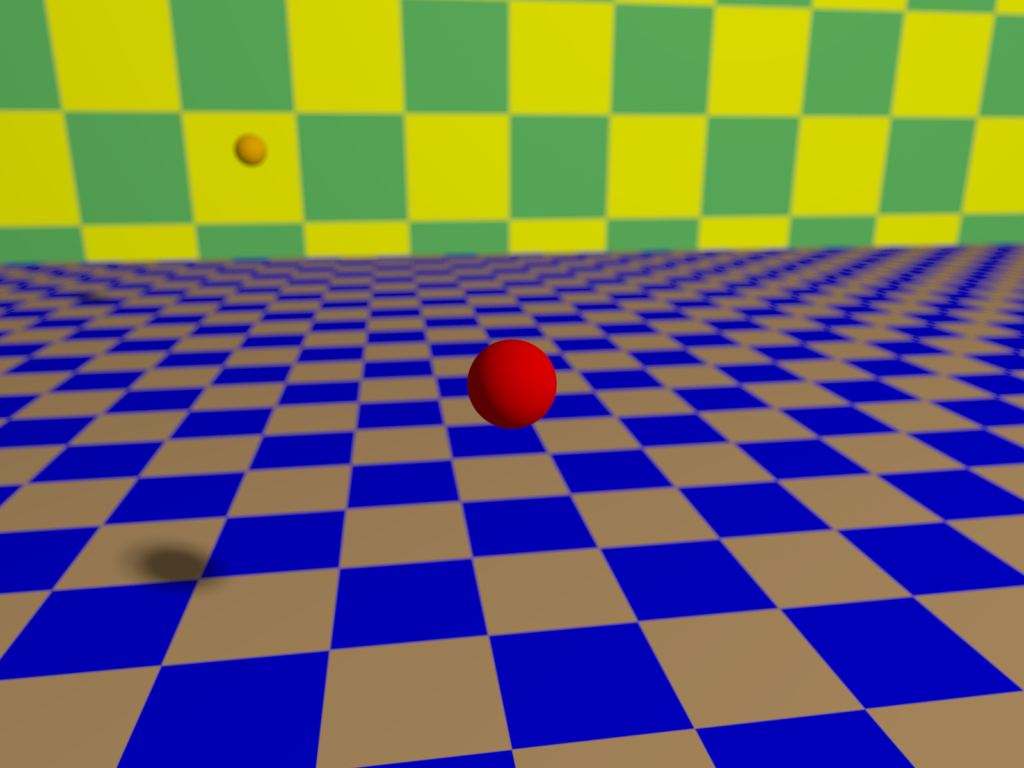
Here is a simple, minimalistic video of the images stitched together.
Here is a plot of the z and x-axis positions to show how they line up with the same point in the background from the perspective of the target.
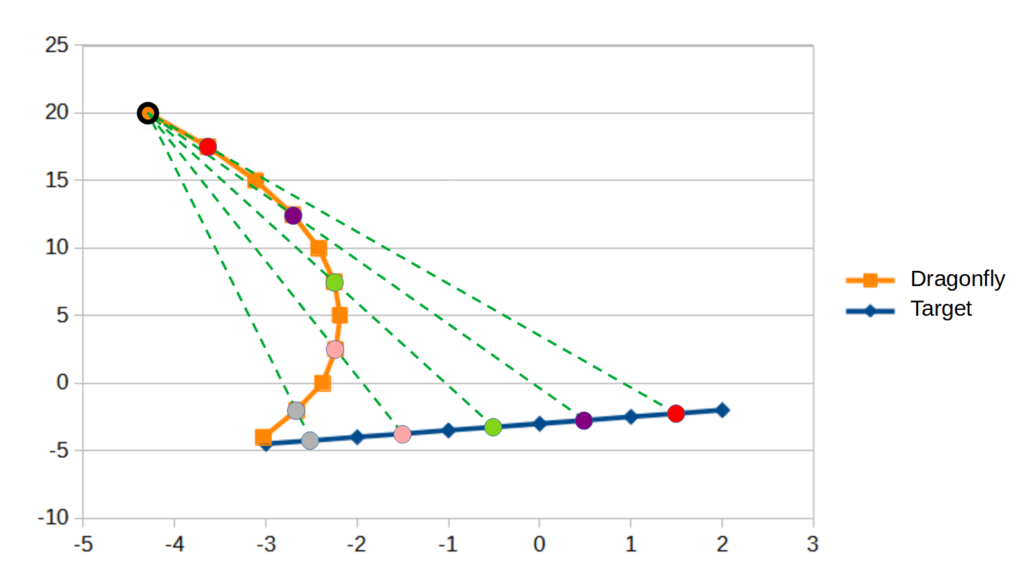
I ended up using a spreadsheet to help automate the calculations. The slope and intercept of the trajectory change at each point. This is not simply approaching the target at each point as it moves but a more complex maneuver. If I developed this some more, I would automate the position calculations within the POV-Ray script and use the clock function to make many more intermediate images for a smoother video. Also, simultaneous changes in the y-axis could be incorporated.
(I may update this post with some comparison videos of what the scene looks like without motion camouflage … )
This only works on one target at a time. The dragonfly shouldn’t be able to maneuver to be able to maintain motion camouflage relative to two viewers. An obvious direction this could potentially be taken in is for use with drones to track each other or moving objects while minimizing their movement against a background.
Dragonflies can even shift their movement to backgrounds at different distances away as the target moves. For example, they can switch between maintaining a visually fixed point on a near background to a fixed point on a distant background, such as the sky, within one episode of flight.
Here is the original article I read that started me thinking about this:
- Mizutani, A., Chahl, J. S., & Srinivasan, M. V. (2003). Motion camouflage in dragonflies. Nature, 423(6940), 604-604. https://www.nature.com/articles/423604a
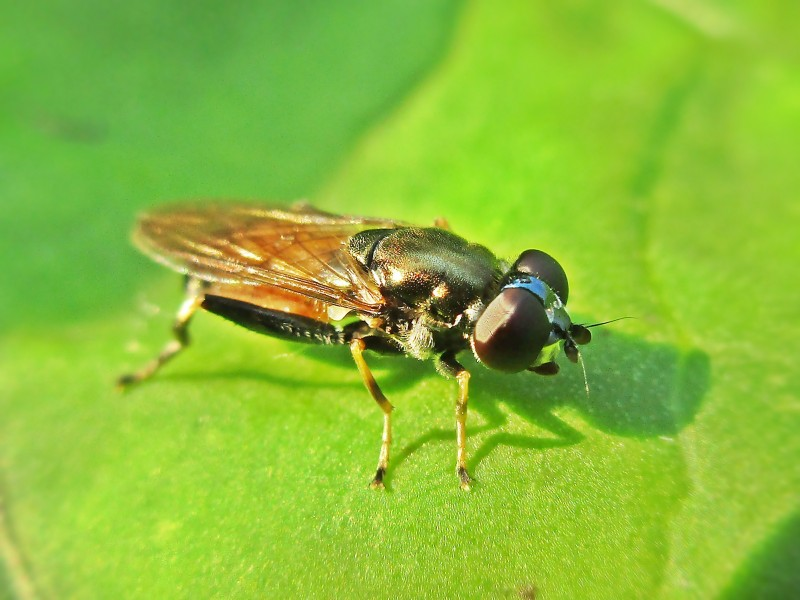
When putting together this post, I found some more relevant articles and even a Wikipedia page dedicated to motion camouflage. Hoverflies also show this motion camouflage behavior.
- Anderson, A. J., & McOwan, P. W. (2003). Humans deceived by predatory stealth strategy camouflaging motion. Proceedings of the Royal Society of London. Series B: Biological Sciences, 270(suppl_1), S18-S20. https://www.ncbi.nlm.nih.gov/pmc/articles/PMC1698008/pdf/12952625.pdf
- Anderson, A. J., & McOwan, P. W. (2003). Model of a predatory stealth behaviour camouflaging motion. Proceedings of the Royal Society of London. Series B: Biological Sciences, 270(1514), 489-495. https://www.ncbi.nlm.nih.gov/pmc/articles/PMC1691267/pdf/12641903.pdf
- Glendinning, P. (2004). The mathematics of motion camouflage. Proceedings of the Royal Society of London. Series B: Biological Sciences, 271(1538), 477-481. https://www.ncbi.nlm.nih.gov/pmc/articles/PMC1691618/pdf/15129957.pdf
- Srinivasan, M. V., & Davey, M. (1995). Strategies for active camouflage of motion. Proceedings of the Royal Society of London. Series B: Biological Sciences, 259(1354), 19-25.
- Wikipedia article on motion camouflage, https://en.wikipedia.org/wiki/Motion_camouflage
POV-Ray code:
#include "colors.inc"

light_source { <10, 10, -10> color White
    area_light
    x y 10 10
    adaptive 1
    jitter
    circular orient}


camera {
// viewer trajectory
   //location <2, 2, -2>      // point 1
   //location <1.5, 2, -2.25>      // point 1.5
   //location <1, 2, -2.5>   // point 2
   //location <0.5, 2, -2.75>   // point 2.5
   //location <0, 2, -3>   // point 3
   location <-0.5, 2, -3.25>   // point 3.5
   //location <-1, 2, -3.5>   // point 4
   //location <-1.5, 2, -3.75>   // point 4.5
   //location <-2, 2, -4>   // point 5
   //location <-2.5, 2, -4.25>   // point 5.5
   //location <-3, 2, -4.5>   // point 6

// motion camo look at fixed
   look_at <0,1,0>
   focal_point <0,1,0>

//intercept look at
      //look_at <0,1,0>  focal_point <0,1,0>
      //look_at <-0.731195335276968,1.2,1.6>  focal_point <-0.731195335276968,1.2,1.6>
      //look_at <-1.46239067055394,1.4,3.2>  focal_point <-1.46239067055394,1.4,3.2>
      //look_at <-2.1935860058309,1.6,4.8>  focal_point <-2.1935860058309,1.6,4.8>
      //look_at <-2.92478134110787,1.8,6.4>  focal_point <-2.92478134110787,1.8,6.4>
      //look_at <-3.65597667638484,2,8>  focal_point <-3.65597667638484,2,8>
      //look_at <-3.53002915451895,2,5.6>  focal_point <-3.53002915451895,2,5.6>
      //look_at <-3.40408163265306,2,3.2>  focal_point <-3.40408163265306,2,3.2>
      //look_at <-3.27813411078717,2,0.8>  focal_point <-3.27813411078717,2,0.8>
      //look_at <-3.15218658892128,2,-1.6>  focal_point <-3.15218658892128,2,-1.6>
      //look_at <-3.02623906705539,2,-4>  focal_point <-3.02623906705539,2,-4>
      aperture 0.1
      blur_samples 100

}

// intersect point <-30/7,2,20>


    background { color Gray }

  plane { <0, 1, 0>, -1
    pigment {
      checker color Copper, color Blue
    }
  }


    plane { <0, 0, 1>, 20
    pigment {
      checker color Yellow, color ForestGreen
      scale 3
    }
  }


  sphere {
   <0,1,0>, 0.2
   pigment{color Red}


  }


    sphere {  // dragonfly

    // motion camo sequence
   //<-30/7,2,20>, 0.2 // point 1
   //<-3.6356,2,17.5>, 0.2 // point 1.5
   //<-3.1111,2,15>, 0.2 // point 2
   //<-2.708,2,12.5>, 0.2 // point 2.5
   //<-2.42236,2,10>, 0.2 // point 3
   <-2.25038,2,7.5>, 0.2 // point 3.5
   //<-2.18845,2,5>, 0.2 // point 4
   //<-2.23308,2,2.5>, 0.2 // point 4.5
   //<-2.38095,2,0>, 0.2 // point 5
   //<-2.66568,2,-2>, 0.2 // point 5.5
   //<-3.02624,2,-4>, 0.2 // point 6

   // intercept course
   //<-4.28571428571429,2,20>, 0.2 // point 1
   //<-4.1597667638484,2,17.6>, 0.2 // point 1.5
   //<-4.03381924198251,2,15.2>, 0.2 // point 2
   //<-3.90787172011662,2,12.8>, 0.2 // point 2.5
   //<-3.78192419825073,2,10.4>, 0.2 // point 3
//   <-3.65597667638484,2,8>, 0.2 // point 3.5
   //<-3.53002915451895,2,5.6>, 0.2 // point 4
   //<-3.40408163265306,2,3.2>, 0.2 // point 4.5
   //<-3.27813411078717,2,0.8>, 0.2 // point 5
   //<-3.15218658892128,2,-1.6>, 0.2 // point 5.5
   //<-3.02623906705539,2,-4>, 0.2 // point 6


   pigment{color Orange}


  }
Media
- Dragonfly picture by Boris Smokrovic (2016), https://commons.wikimedia.org/wiki/File:Dragonfly_landing_(Unsplash).jpg
- Hover fly picture by B. J. Schoenmakers (2016), https://commons.wikimedia.org/wiki/File:Xylota_segnis_(Syrphidae_sp.),Elst(Gld),_the_Netherlands.jpg
.jpg)
,Elst(Gld),_the_Netherlands.jpg)
Leave a Reply